your first counter
make the + button increment a number
this article takes a panel with a number label and a "+" button and makes it interactive. it adds three things: a field that holds the count, a click handler that mutates it, and a hover color that gives the button feedback.
hold the count in a field
add a _count field to the class and read from it in Text. nothing looks different yet because _count starts at zero, but the text is now driven by data instead of a literal.
public class CounterUI : GooPanel<Container>
{
    private int _count;

    protected override Container Build() => new Container
    {
        Padding = 16,
        Width = 128,
        Height = 128,
        BackgroundColor = Color.White,
        BorderRadius = 12,
        FlexDirection = FlexDirection.Row,
        Gap = 12,
        AlignItems = Align.Center,
        Children =
        {
            new Text(_count.ToString()),
            new Container
            {
                Padding = 8,
                BackgroundColor = Color.Orange,
                BorderRadius = 6,
                Children = { new Text("+") },
            },
        },
    };
}
Build() runs once at mount. goo holds that tree until you ask for a new one. mutating _count alone is not enough to update the display.
wire the click
Rebuild() (inherited from GooPanel<T>) schedules a fresh Build() on the next tick. the pattern is: mutate your field, then call Rebuild().
OnClick takes a lambda. the e parameter carries mouse event details, but you do not need it here.
new Container
{
    Padding = 8,
    BackgroundColor = Color.Orange,
    BorderRadius = 6,
    OnClick = e => { _count++; Rebuild(); },
    Children = { new Text("+") },
}
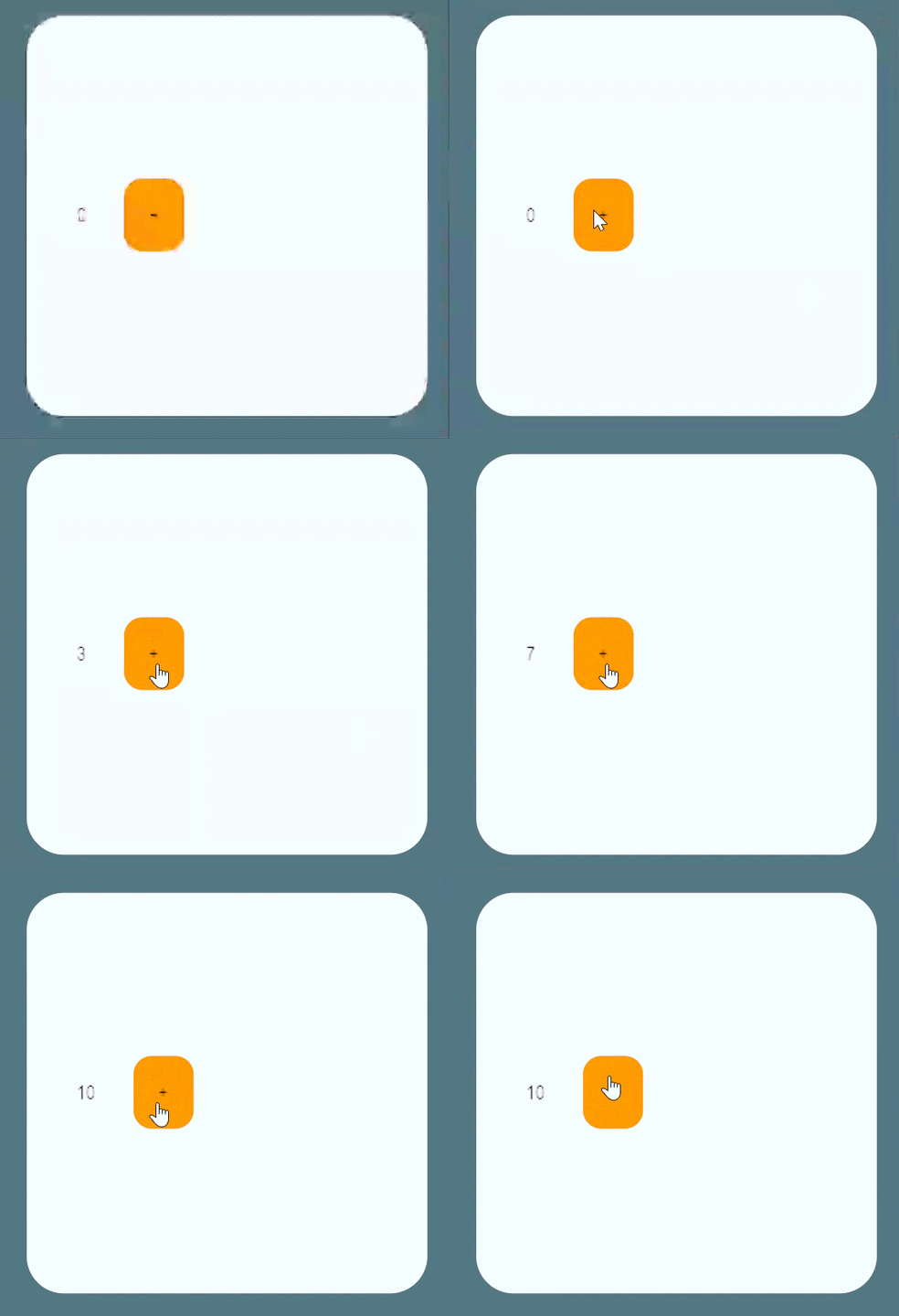
press play and click. the number goes up. the counter works.
if you forget Rebuild(), the click still mutates _count but the displayed number stays stale. the symptom is a frozen counter that only updates when something else (hotload, component toggle) forces a rebuild.
make it feel real
the button takes clicks but gives no visual feedback. HoverBackgroundColor changes the background when the cursor is over the element.
here is the complete class with all three changes applied:
public class CounterUI : GooPanel<Container>
{
    private int _count;

    protected override Container Build() => new Container
    {
        Padding = 16,
        Width = 128,
        Height = 128,
        BackgroundColor = Color.White,
        BorderRadius = 12,
        FlexDirection = FlexDirection.Row,
        Gap = 12,
        AlignItems = Align.Center,
        Children =
        {
            new Text(_count.ToString()),
            new Container
            {
                Padding = 8,
                BackgroundColor = Color.Orange,
                HoverBackgroundColor = Color.Cyan,
                BorderRadius = 6,
                OnClick = e => { _count++; Rebuild(); },
                Children = { new Text("+") },
            },
        },
    };
}
state variants follow the prefix shape (HoverBackgroundColor, HoverFontColor, and so on). they are init properties like any other style.
see also
- arranging children - how
FlexDirection,Gap, andAlignItemslay out the row this counter starts from. - build method - full
Rebuild()mechanics, structural diff, and hotload. - container reference - full layout and style surface for
Container. - events - all six mouse-event properties and the
MousePanelEventpayload.